Sabana FamilyEaglenestSabana Family Office

User manual · Version 1.1 · November 2026

EAGLE Intelligence User Manual & Guidance

A user’s field guide from first sign-in to daily intelligence work. EAGLE brings company, ownership, market and public-record research into one private platform, so that every conclusion can be traced back to its source.

4.8 MB · 34 pages

Cover of the EAGLE Intelligence User Manual
Modules
7
Modules
dashboard to access control
Roles
5
Roles
Principal to Observer
Languages
2
Languages
English and Bahasa Indonesia
Installs
0
Installs
runs in your web browser

How the modules fit together

Sourced intelligence beats a confident guess

NEXUS holds the research, RADAR and WATCH flag what has changed, VAULT keeps the evidence and cases, and ONE brings it together for you each day. The two gold modules are for the Principal only.

ONE

Dashboard

NEXUS

Research

RADAR

Surveillance

WATCH

Monitoring

VAULT

Evidence

ASSETS

Principal

ACCESS

Principal

Every account holder

Getting started, the main screen and roles.

Analysts, Researchers, Directors

The working modules. Observers need only EAGLE ONE and Equity research.

The Principal

Asset Intelligence and user access.

Ten rules

What every EAGLE user lives by

  1. 01Open the source before you rely on a claim.
  2. 02Keep Reported and Assessment apart, in EAGLE and in what you write.
  3. 03Treat a RADAR alert as a reason to look further, never as a finding.
  4. 04Record the authorized purpose before you start the work.
  5. 05Read each collected item and its source before you accept it.
  6. 06Prefer primary filings to anything Claude has drafted.
  7. 07Record people only in their business roles.
  8. 08Confirm prices with your broker. EAGLE places no orders.
  9. 09Keep passphrases safe and away from EAGLE. They cannot be recovered.
  10. 10Hold the lowest role that does the job, and sign out on shared computers.

Part A · Getting started

From request to first sign-in

EAGLE runs in your web browser at eye.eaglenest.id, so there is nothing to install.

1 · Request an account

  1. 1.Go to eye.eaglenest.id and select Request access.
  2. 2.Enter your full name, work email, a username and a password.
  3. 3.Sign in to see your status: Access pending until the Principal gives you a role.

If the Principal created your account, use the username and password you were given.

2 · Sign in

  1. 1.Choose EN or ID at the top of the card.
  2. 2.Enter your username and password and select Sign in.
  3. 3.Change your password if prompted — usual at first sign-in.

3 · Password & sign-out

  • Change your password from your account page; this signs out your other sessions.
  • Forgotten password: ask the Principal to reset it.
  • Always sign out on a shared computer.

Finding your way around

Module rail — switches between modules; a red number on WATCH shows items to review

Search — finds companies, people and tickers — press / from anywhere

Add — adds an entity to the workspace (Analyst and above)

EN | ID — switches language; Claude’s answers follow your choice

Role chip — shows the role you are signed in with

Live updates — changes by others appear without reloading

How to read the data

Every fact links back to its source

S12, L145
Source IDs. Every fact links to the filing or report it came from — select the ID to check it.
Reported / Assessment
Reported comes from a source. Assessment is a judgment and should be read as one.
Verification score
How well a dossier is supported, from 0 to 100.
Sourced · collected date
The date of the newest collection or brief.
Green / amber valuation
Green is a discount and amber a premium to history and the peer median.

Roles

Five roles, checked on every read and write

The Principal gives each person one role. You only see the modules and tabs your role allows.

Principal

Full control, including Asset Intelligence and user access. There is only one.

Director

All intelligence modules including the Vault. Cannot manage users or open Asset Intelligence.

Analyst

Adds entities and sources, reviews the inbox, runs collections and works cases.

Researcher

Reads dossiers, equity research, network, signals and the brief, and asks the assistant. Makes no shared changes.

Observer

Today, the brief, equity research and their own portfolio.

Access by tabPrincipalDirectorAnalystResearcherObserver
EAGLE ONE
Today, own Portfolio, Brief✓✓✓✓✓
Trade desk, Assistant✓✓✓✓–
EAGLE NEXUS
Equity research✓✓✓✓✓
Dossiers, Network, Assets✓✓✓✓–
Add entities and sources✓✓✓––
EAGLE RADAR
Radar, Typologies, Alert log✓✓✓✓–
Import data, edit thresholds✓✓✓––
EAGLE WATCH
Signals, Events & sources✓✓✓✓–
Collection, inbox review, add signals✓✓✓––
EAGLE VAULT
Cases✓✓✓––
Documents✓✓–––
Principal only
Asset Intelligence, EAGLE ACCESS✓––––

Each user’s portfolio is visible only to that user and, read-only, to the Principal.

Part B & C · The modules

What each module does

EAGLE ONE

Your home base

The day’s priorities, your own portfolio, trade analysis, the executive brief and the assistant.

TodayPortfolioTrade deskBriefAssistant
  • Today: ask a question, see items awaiting review, open cases, your pinned priorities and the newest events on your watchlist.
  • Portfolio: record your own IDX trades (1 lot = 100 shares), import broker CSVs or PDF statements, and see value, risk and RADAR alerts on what you hold.
  • Trade desk: plan long-side day trades against your own rules, with entry timing, stop and target, 10,000 historical replays, position size and a PASS / BLOCK risk check.
  • Brief: an executive brief twice a day, with key judgments marked Reported or Assessment; generate custom briefs for the board, IC, compliance or M&A.
  • Assistant: reasons over the sourced records, cites each claim by source ID and marks inference separately.

Research, not advice: the portfolio and Trade desk give evidence by factor, never a buy or sell recommendation, and EAGLE places no orders.
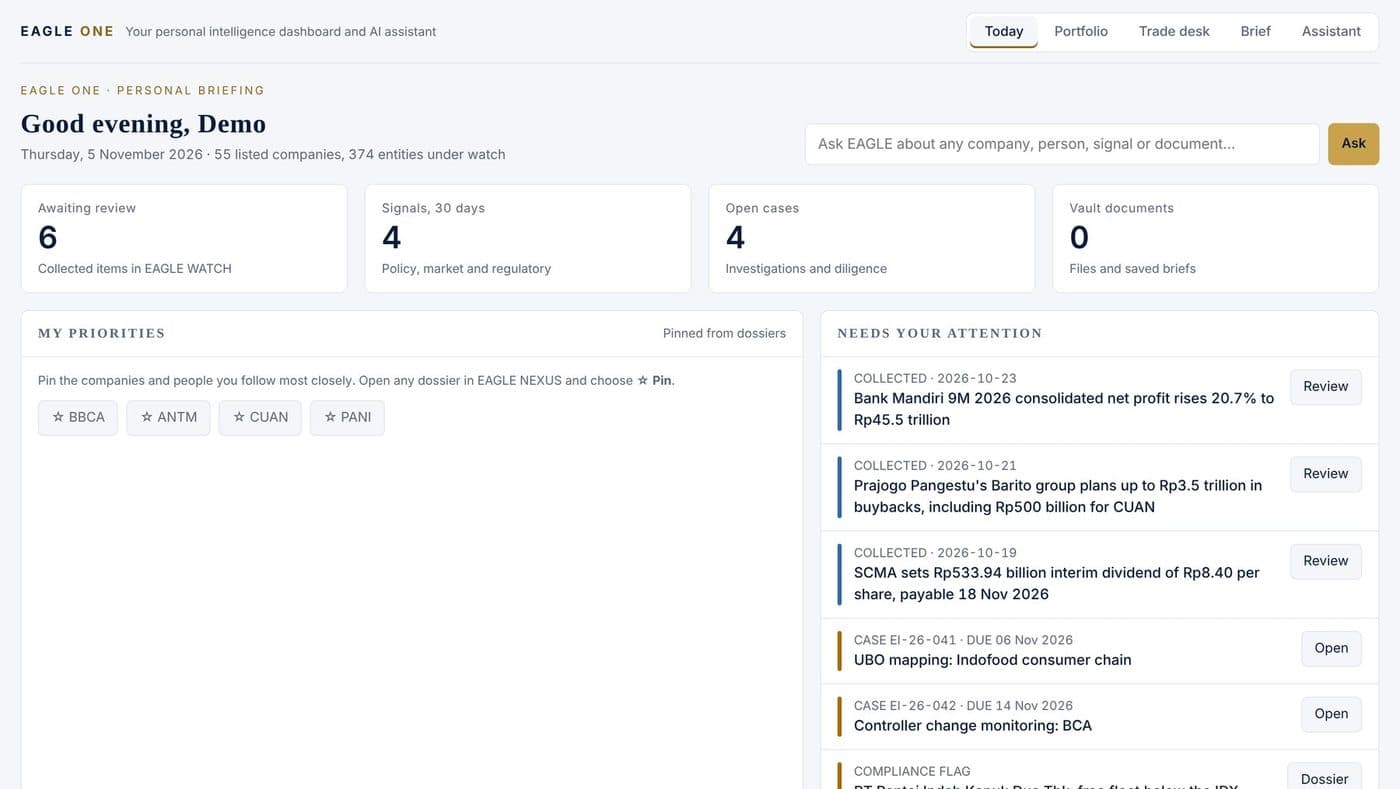
EAGLE ONE Today screen with demonstration data
EAGLE ONE Today screen with demonstration data. Figures are fictional.
EAGLE NEXUS

Who owns what, who runs what

Observers see Equity research only

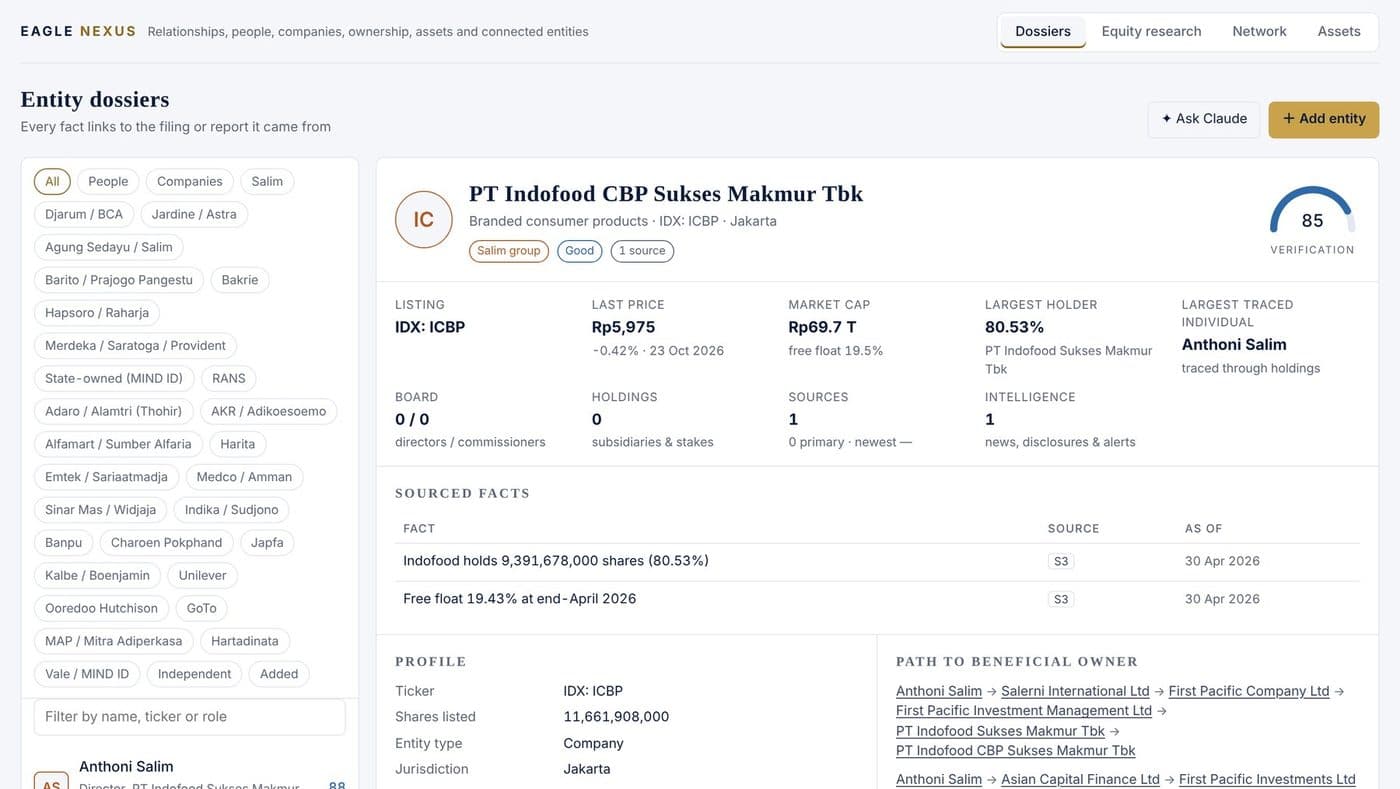
The research base: people, companies, ownership chains, listed-company research and the assets they hold.

DossiersEquity researchNetworkAssets
  • Dossiers: every person and company with a verification score, identifiers, sourced facts and the path to the beneficial owner.
  • Add entities by extracting them from a filing (best), asking Claude (marked unverified until a filing is attached) or entering them by hand — always with an authorized purpose.
  • Equity research: IDX companies on four pillars — fundamental, valuation, momentum & catalysts, and risk.
  • Network: a link chart from owner to owned; Assets: mines, oil & gas, projects and property held by companies in the network.
EAGLE NEXUS entity dossier with demonstration data
EAGLE NEXUS entity dossier with demonstration data. Figures are fictional.
EAGLE RADAR

Market surveillance

Researcher and above

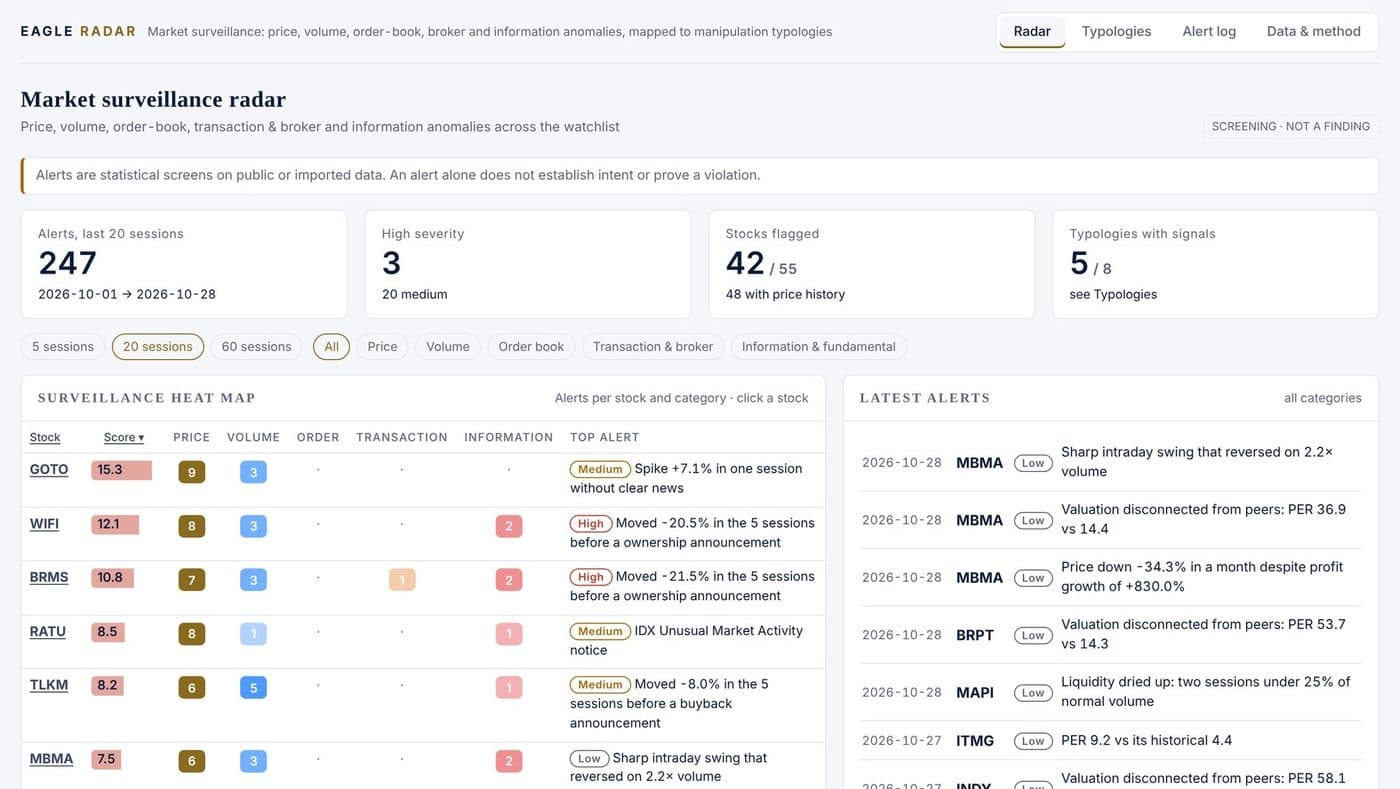
Screens the watchlist for unusual price, volume, order-book, broker and information patterns, and maps them to known manipulation types.

RadarTypologiesAlert logData & method
  • Radar: a surveillance heat map over 5, 20 or 60 sessions, with every alert and its evidence per stock.
  • Typologies: eight recognised patterns — pump and dump, insider-trading red flags, momentum ignition, wash trading, marking the close, spoofing, layering and front-running.
  • Alert log: every alert with its evidence, filterable and exportable for case work.
  • Data & method: import broker or vendor files to switch on order-book and trade-level detectors.

Screening, not a finding: an alert alone does not establish intent or prove a violation.

EAGLE RADAR surveillance heat map with demonstration data
EAGLE RADAR surveillance heat map with demonstration data. Figures are fictional.
EAGLE WATCH

Keeping the workspace current

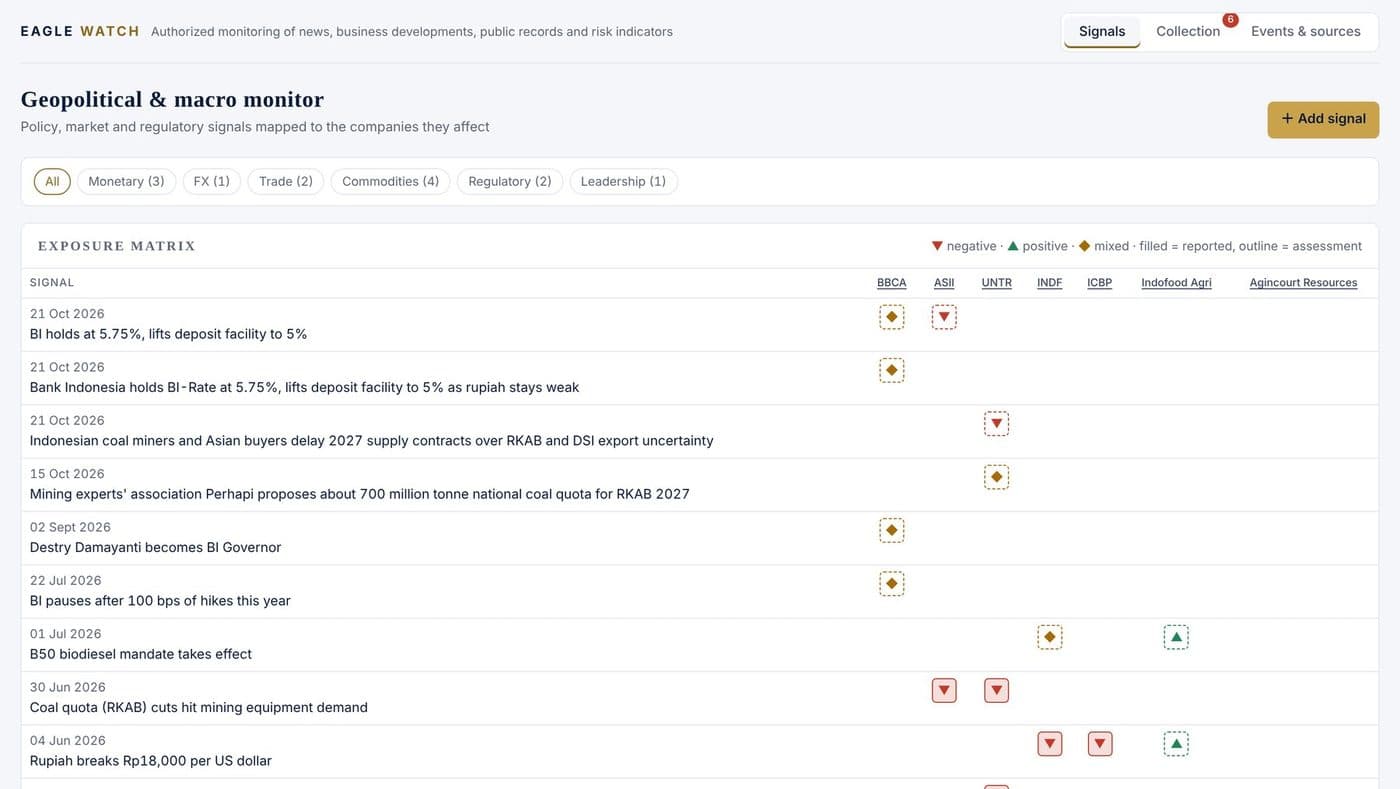
Tracks policy and market signals, collects public information on a schedule, and records events and sources.

SignalsCollectionEvents & sources
  • Signals: an exposure matrix mapping each signal to the companies it affects — negative, positive or mixed, reported or assessed.
  • Collection: searches public sources for your watch terms; nothing reaches the workspace until someone reads and accepts it.
  • Events & sources: the Watch floor of control and board events and the source register with confidence and date.
EAGLE WATCH signals exposure matrix with demonstration data
EAGLE WATCH signals exposure matrix with demonstration data. Figures are fictional.
EAGLE VAULT

Evidence and case files

Protected documents and case files, each with a fingerprint and a custody log.

DocumentsCases
  • Documents (Director and above): classify as Internal, Confidential or Restricted, link to a case and entity, record provenance, and optionally seal with a passphrase.
  • Every upload, opening, verification and download is logged; Verify confirms a file has not changed.
  • Cases (Analyst and above): corporate investigation, due diligence / KYB, investment research, geopolitical assessment or executive monitoring — each with an authorized purpose and a due date.

A sealed file cannot be opened by anyone if its passphrase is lost.

ASSETS & ACCESS

Principal administration

Principal only

Two modules reserved for the Principal: the private holdings register and control of who may use EAGLE.

Asset IntelligenceEAGLE ACCESS
  • Asset Intelligence: an encrypted, compartmentalised register of property, company interests, financial holdings, liabilities, insurance and counterparties, with a consolidated view in rupiah.
  • Two compartments with separate passphrases, unlocked only when needed; there is no recovery if a passphrase is lost.
  • EAGLE ACCESS: approve requests, create accounts, change roles, suspend access and reset passwords; give each person the lowest role that lets them do their work.

Part D · Daily routines

A day with EAGLE

Suggestions based on when EAGLE updates — adapt them to your work. The executive brief arrives at about 06:55 and 17:55 WIB.

WhenEveryoneAnalyst and above
MorningOpen Today and read the morning brief.Review the overnight Collection inbox.
MiddayCheck your portfolio’s Session I summary.Review the midday collection.
After the closeOpen portfolio analysis on the closing session.Review the afternoon collection.
EveningRead the evening brief and closing summary.Check new RADAR alerts and update cases.

Running an investigation

  1. 1Open a case and record the purpose
  2. 2Trace ownership in Dossiers and Network
  3. 3Add primary filings as sources
  4. 4Check RADAR for market signals
  5. 5Ask the Assistant to find gaps
  6. 6Draft the case brief
  7. 7Save the evidence to the Vault

Troubleshooting

When something looks wrong

Access pending
The Principal has not given you a role yet. Contact the Principal.
A module or tab is missing
Your role does not include it — see the roles table above.
Edit buttons are missing
Your role is read-only for that feature.
Locked out after failed sign-ins
Wait and try again; ask the Principal to reset a forgotten password. There is no self-service reset.
Assistant unavailable
Claude features need the server’s key to be active and have a per-user hourly limit. Tell the Principal if it persists.
Prices look old
Select Run in Research & technical analysis.
An import is refused
It would sell more lots than were held on a date — add the missing earlier buys.
Trade desk shows BLOCK
Read the listed checks; blocks outside market hours are normal.

The PDF also includes the full update schedule, a glossary and keyboard shortcuts.

Read online

The full manual

EAGLE Intelligence User Manual v1.1

The PDF opens in your phone’s viewer.

Read the PDF

Ready to start?

Sign in or request access at eye.eaglenest.id.

Research, not advice. Everything in EAGLE is research data, not investment advice, and EAGLE places no orders. RADAR alerts are statistical screens: an alert alone does not establish intent or prove a violation. EAGLE is for authorized work on public and lawfully obtained information. Screenshots come from a demonstration copy with fictional data.